
CSA Credit Card Payment Instructions
How to pay with a Credit Card…
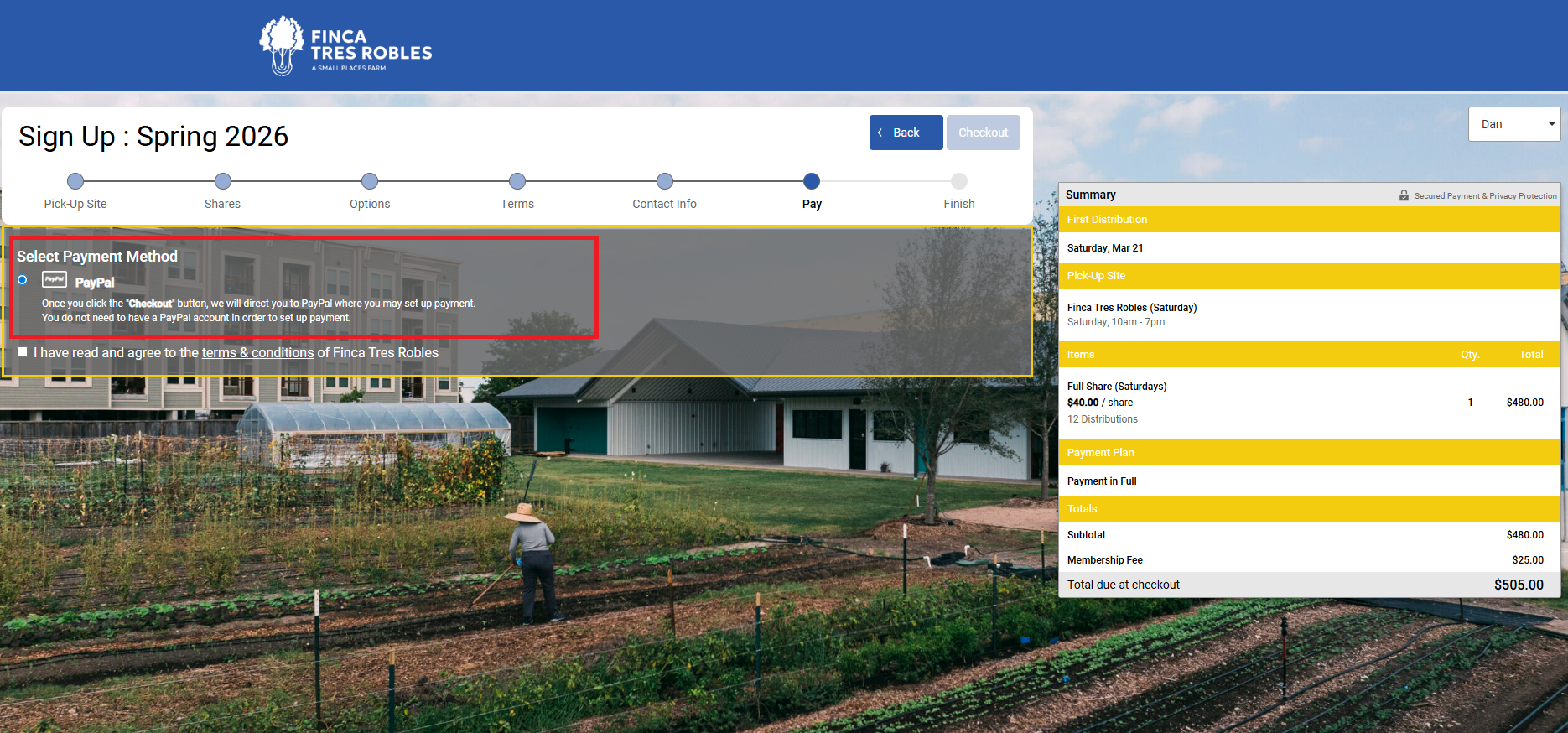
Step 1. Complete Registration
Complete the standard steps for registering for a CSA Share: pickup location, Share Size, Share Options, etc.
Step 2. Select Payment Method
Select PayPal as your payment method and click “Checkout” (reference included screenshot of CSA Registration Page).
YOU DO NOT NEED A PAYPAL ACCOUNT

Step 3. Payment Page
You will be redirected to the PayPal Payment page. To pay with Credit Card, click the “Don’t have a PayPal account”?” button and complete the Credit Card payment information (reference included screenshot of the PayPal Payment Page)
Step 4.Submit Payment
Review your payment information and click Submit to finalize your Credit Card payment.